Canon Pixma G3270 Driver Download, Software, and Manual– The Canon PIXMA G3270 MegaTank is a Wi-Fi-enabled all-in-one color inkjet printer with print, scan and copy functions and is a compact solution for the home or small office.
For printing, the G3270 features a rear paper tray that supports a wide range of paper types and labels, envelopes, cards, and other media up to 8.5 x 14″ legal size.
The tray holds 100 sheets of plain paper or 20 sheets of 4 x 6″ card stock. The G3270 produces single-sided prints with resolutions up to 4800 x 1200 dpi and allows you to print borderless photos and marketing materials in sizes up to 8.5 x 11″ letter size.
The G3270 printer has an average print speed of 11 ipm for letter-size black prints and six ipm for color prints.
For scanning and copying, the G3270 MegaTank has an 8.5 x 11.7″ flatbed that supports up to letter-size paper. It allows single-sided scanning and copying and can make up to 99 copies.
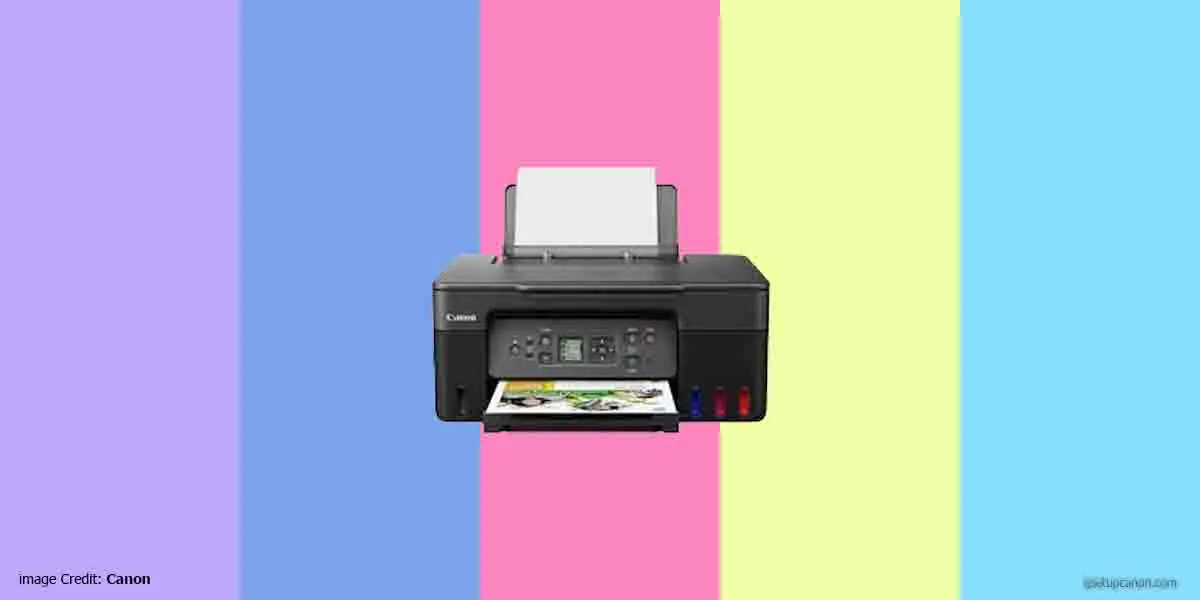
Canon PIXMA G3270 can be used wirelessly or connected directly to a computer. Wi-Fi enables the Canon PRINT Business mobile app, AirPrint, or Mopria mobile print services to control the printer wirelessly.
You can send print commands from your smartphone or tablet and print materials on your mobile device.
Scan Features
Some of the features of the G3270, namely:
- Scan single-sided documents
- Photo scan
- Wireless scanning
- Scan to the Canon PRINT app
- Attach to e-mail
- Scan multi-page PDF, and
- Save to computer
Copy Features
Single-sided copy, 4-to-1 / 2-to-1 copy, borderless copy, document copy, fit-to-page copy, border eraser copy, ID card copy, auto exposure copy, multiple copies up to 99 pages, photocopy, preset copy ratio, 25 – 400% reduction/zoom copy, standard copy
Wi-Fi Security
WPA-PSK (TKIP/AES), WPA2-PSK (TKIP/AES), WPA3-SAE (AES)
Supported Paper/Media Sizes
- 3.5 x 3.5″ (square)
- 4 x 6″, 5 x 5″ (square)
- 5 x 7″, 7 x 10″
- 8 x 10″, 8.5 x 11″ (letter)
- A4
- A5
- A6
- B5
- 8.5 x 14″ (legal)
- US #10 envelopes
- and cards
Approximately 3.6 x 2.2″ custom sizes ranging from up to 47″ in length are also supported for specialized application use.
Supports Borderless Printing
- 3.5 x 3.5″ (square)
- 4 x 6″, 5 x 5″ (square)
- 5 x 7″
- 7 x 10″
- 8 x 10″
- 8.5 x 11″ (letter)
- A4, B5, and
- Approximately 3.6 x 2.2″ cards.
IJ Start Canon Pixma G3270 Driver Support for:
-
- Android
- Linux x32 x64
- MacOS
- Windows 11
- Windows 10 x32 x 64
- Windows 8.1 x32 x 64
- Windows 7 x32 x 64
- Windows XP x32 x 64
Canon Pixma G3270 Driver Download for Windows
|
Download
|
Desc
|
|
Canon Pixma G3270 MP Driver
|
Canon Pixma G3270 Software Download for Windows
|
Download
|
Desc
|
|
Canon Pixma G3270 Easy-PhotoPrint EX
|
|
|
IJ Printer Assistant Tool
|
|
|
Wi-Fi Connection Assistant
|
|
|
Master Software Package
|
Canon Pixma G3270 Printer Software Download for Mac
|
Download
|
Desc
|
|
Canon Pixma G3270 Easy-PhotoPrint EX
|
|
|
IJ Scan Utility Lite
|
|
|
Wi-Fi Connection Assistant
|
|
|
Master Software Package
|